Discord
Sell Discord Roles and Server Access Automatically
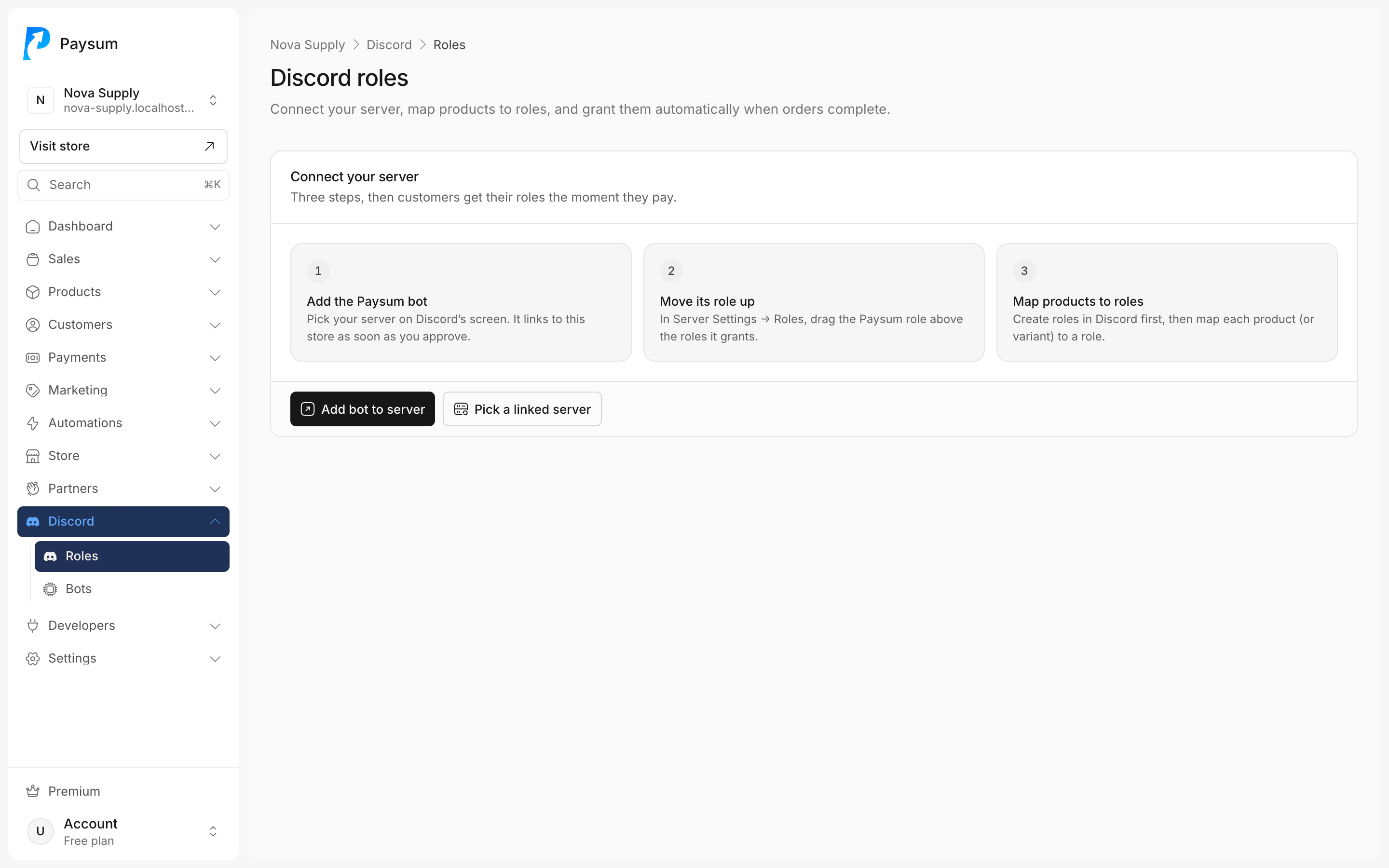
Connect your server, map products to roles, and buyers get access as soon as they pay. When a payment is refunded or charged back, Paysum takes the role away for you.
What’s included
Sell roles and server access with the rules you choose.
- Roles on purchase
- Map products to roles. Add buyers to your server or grant the role when they join.
- Checkout requirement
- Make joining Discord required, optional or disabled at checkout.
- Refunds and chargebacks
- Remove the role and kick, remove the role only, or do nothing.
- Verification
- A public verification page and a list of verified members.
- Custom bots
- Bots linked to API keys, with logs. One bot on Free; unlimited on Premium.
- Discord webhooks
- Post new orders, completed, refunded and shipped orders, new products, new customers and reviews to a channel.
Questions
Something else? Search the help center.
Why did a buyer not get their role?
Most often the Paysum role sits below the role it should give. Drag it above that role in Server settings, then retry from the order.
What happens on a chargeback?
You choose: remove the role and kick the member, remove the role only, or do nothing.
Set it up
Step-by-step guides in the docs.
More of Paysum
- Storefront A hosted store you can make your own.
- Products and delivery Orders are fulfilled as soon as payment confirms.
- Payments Card, PayPal and processor payments settle with you; crypto lands in store wallets.
- Marketing Bring buyers back and reward the ones who send you more.
- Fraud Shield A rules engine for risky orders. Premium.
- Automations The store acts for you when something happens.
- Reselling Sell other stores’ stock, or let them sell yours.
- Operations Run the store with a team.
- Developers Build on top of your store.

Open your store today.
Start selling for free Free forever. Premium is $15/month with every feature.